Oh My Clerk
Records your calls. Transcribes them on your Mac.
DownloadFree for 14 days · macOS 26 or later

Your calls stay on your Mac
Recording, transcription and search all run on your Mac. Nothing is uploaded, there's no account, and the app works offline once the speech model is downloaded.
How it works
Press your hotkey
Start from the keyboard or the menu bar, in any app that makes calls.
Talk as usual
Nothing joins the call. No bot, no extra participant.
Read it back
Transcribe the recording on your Mac, then search it or export it.
What it does
Any call app
Teams, Zoom, Meet, Telegram. It records the audio of your Mac, so it doesn't need an integration.
You and them, apart
Your microphone and the other side are kept on separate tracks.
Knows who said what
Speakers are told apart. Name a voice once, and it's suggested in later calls.
Find any moment
Search every call, then jump to the exact phrase and hear it.
Your languages
Choose the languages you speak, per recording or detected automatically.
Text you can take
Export a transcript as Markdown, plain text or SRT.
Mute everywhere
One hotkey mutes your microphone for every app at once.
Calls in groups
Keep a project or a recurring meeting together in the sidebar.
Find any moment
Search every call at once, then jump to the phrase and hear it.

Who said what, and how much
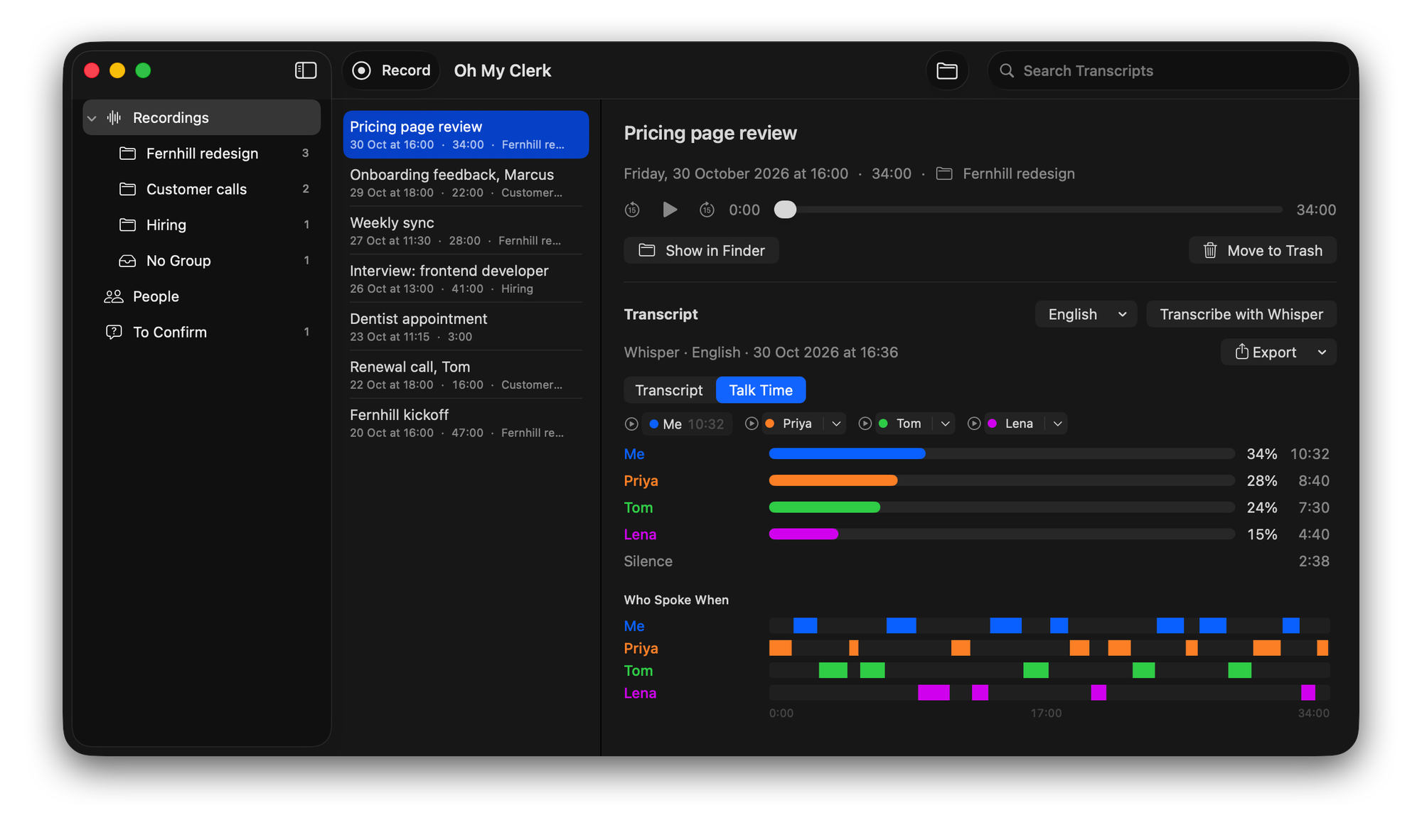
See each person's share of a call, and who spoke when.
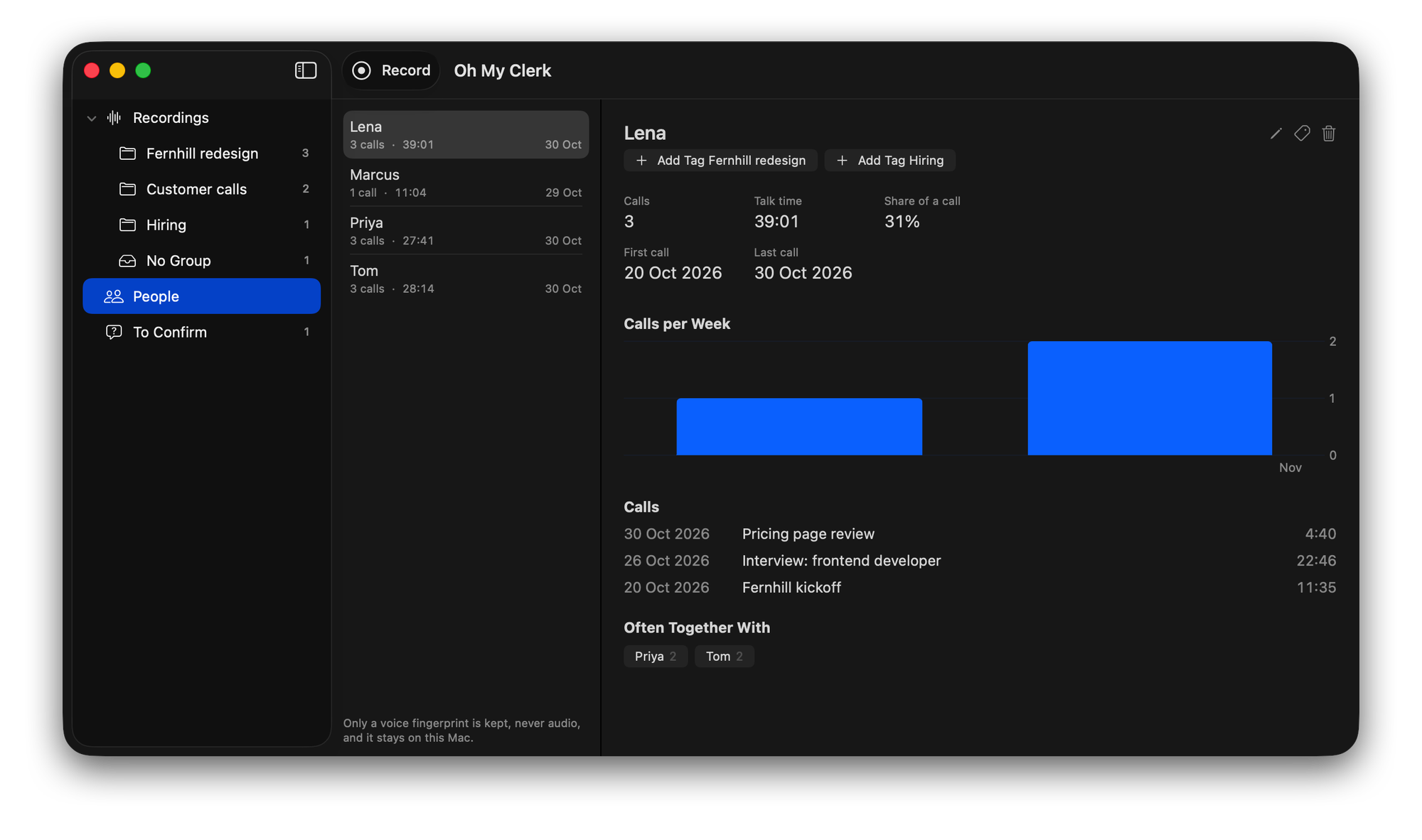
Every voice you've named keeps its calls and talk time.


One price, no subscription
$10
One-time payment, plus tax where it applies. Includes a year of updates. Versions from that year keep working after it ends.
Try everything free for 14 days. Changed your mind after buying? You have 30 days to ask for a refund.
Download the free trial